Text message alerts: how people opt in
Program: MedTime Alerts, from Carexue Inc · Last updated: October 2026
MedTime is a medication reminder app from Carexue Inc. People who choose to receive alerts by text message (SMS) or WhatsApp get messages only about their own medicines, or about a patient who has invited them as a caregiver. We never send marketing messages, and we never add anyone's number for them.
What the messages are
- Dose reminders: a reminder when a scheduled dose is due.
- Missed-dose alerts: sent to a caregiver the patient has invited, when a dose is missed.
- Refill reminders: a heads-up when a medicine is running low.
How someone opts in
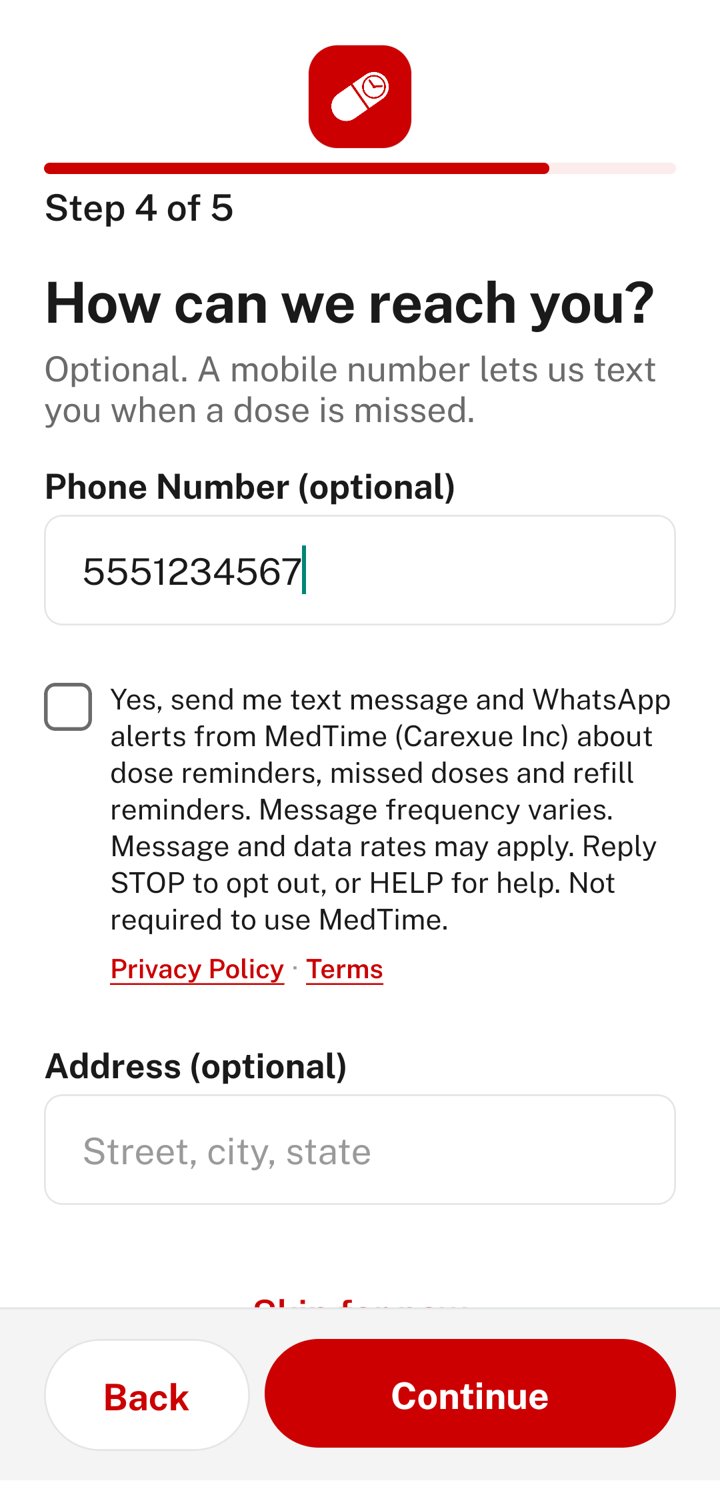
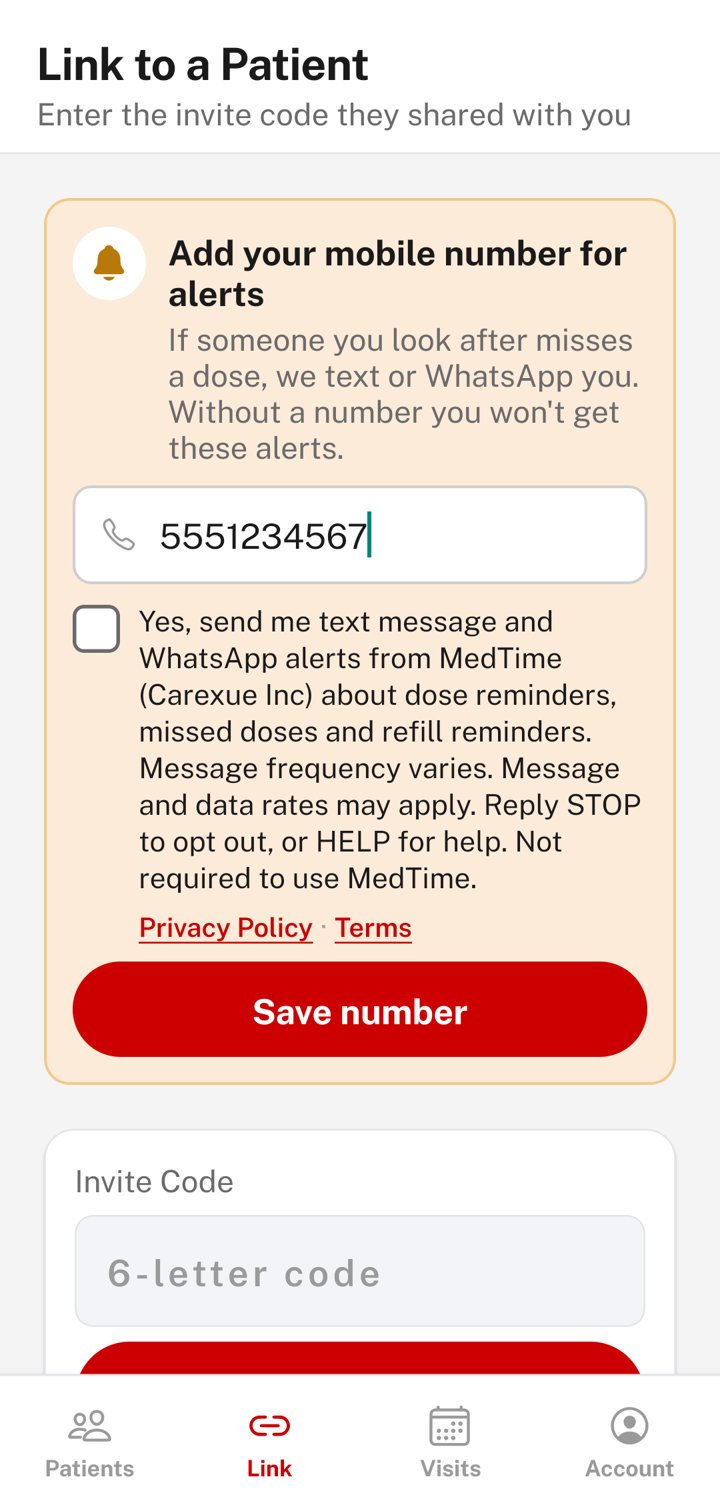
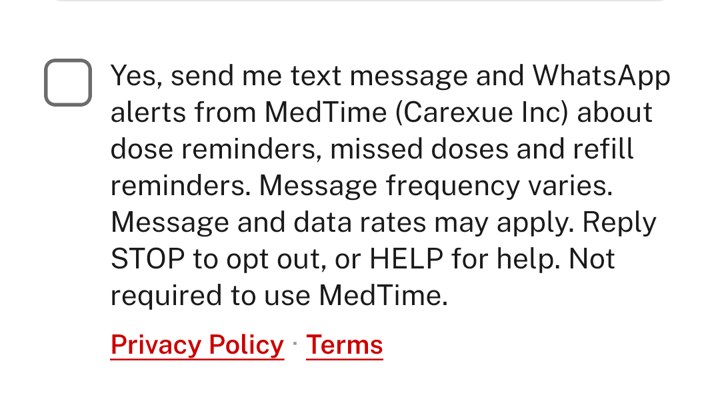
A person receives text or WhatsApp alerts only after they enter their own mobile number in the MedTime app and tick a separate SMS consent checkbox directly below it. The checkbox is always unticked by default: nothing is pre-selected, and saving a number without ticking it never signs anyone up for messages. The same checkbox appears under the number field in all three places a number can be entered:
- Sign-up, step 4 "How can we reach you?" (the number is optional).
- The caregiver's "Add your mobile number for alerts" card. Tapping Save number without ticking the box shows "Tick the box to agree to alerts, then tap Save number." and saves nothing.
- The Account page, when someone adds or changes their number.
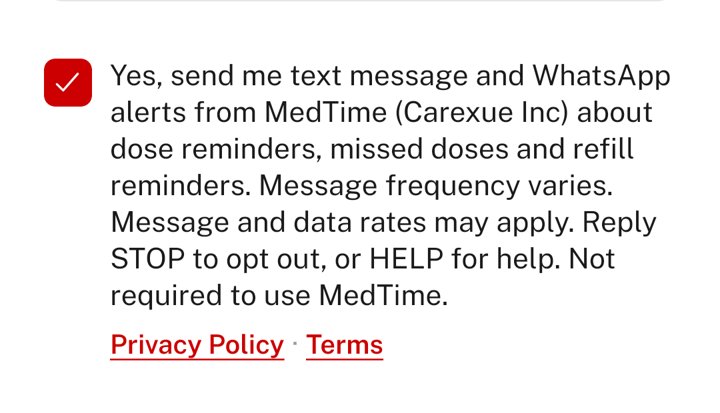
Ticking the box is not required to use MedTime. When someone ticks it, we record the date and time, where in the app they ticked it, and the exact wording they agreed to. People can untick it or remove their number in the app at any time, or reply STOP.
The exact consent checkbox in the app
The checkbox label, identical on all three screens:
Frequency, cost and replies
| Frequency | Varies with each patient's medication schedule. |
|---|---|
| Cost | Message and data rates may apply. |
| Opt out | Reply STOP (or CANCEL, END, QUIT, UNSUBSCRIBE, STOPALL, REVOKE, OPTOUT). Reply: "MedTime (Carexue Inc): You're unsubscribed and won't receive more alerts. Reply START to resubscribe." |
| Help | Reply HELP (or INFO). Reply: "MedTime (Carexue Inc) medication alerts. Help: rasel@carexueinc.com or +1 (347) 691-1210. Msg & data rates may apply. Reply STOP to opt out." |
| Opt back in | Reply START (or YES, UNSTOP). Reply: "MedTime (Carexue Inc): You're subscribed to medication alerts. Msg frequency varies. Msg & data rates may apply. Reply HELP for help, STOP to opt out." |
Sample messages
- MedTime: Time for your 8:00 AM dose: Metformin 500mg, Lisinopril 10mg. Reply STOP to opt out.
- MedTime: Jane Doe missed their 8:00 AM dose of Metformin 500mg. Reply STOP to opt out.
- MedTime: Your supply of Amlodipine 5mg is running low (5 pills left). Time to request a refill. Reply STOP to opt out.
Privacy
No mobile information will be shared with third parties or affiliates for marketing or promotional purposes. Text messaging originator opt-in data and consent will not be shared with any third parties. See our Privacy Policy and SMS & WhatsApp Terms.
Contact
Carexue Inc, 32 Butler Blvd, Elmont, NY 11003 · rasel@carexueinc.com · +1 (347) 691-1210